See It in Action
See how the extension works on Gmail, Slack, Google Docs, and more
Stop Context-Switching Between Tools
Your knowledge should follow you wherever you work, not just inside one AI chat window. Here's how awRAG.io changes that.
Without awRAG
- •AI answers are generic, disconnected from your documents and notes
- •You paste full-document context into chats, hitting token limits
- •Research requires constant tab-switching between tools
- •Your knowledge is scattered across apps with no single source of truth
- •Every email, doc, or reply is written without your reference material
awRAG.io Extension
- AI-powered side panel works on Gmail, Slack, Google Docs, LinkedIn, and more
- Copy richly formatted answers directly into any tool you're using
- One knowledge library accessible from every website you work on
- Docs-only mode ensures answers are grounded in your sources
- Smarter retrieval delivers relevant, complete results with less noise
How the Extension Works
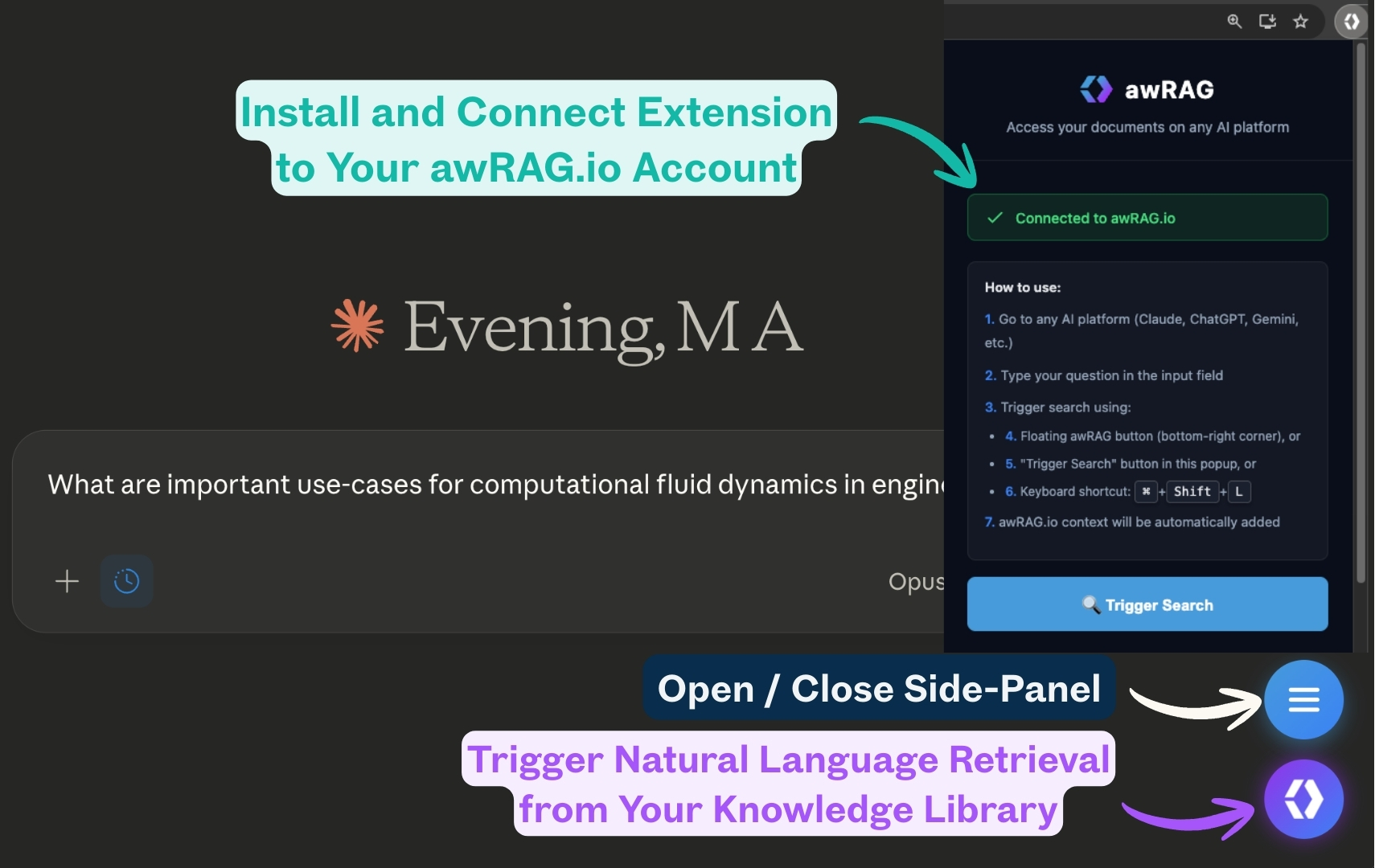
Open your AI research assistant on any website
Install the Extension
Download from our Downloads page and install to Chrome or Firefox. Quick setup, no account needed beyond your awRAG.io login.
Sign in with API Key
Get your API key from awRAG.io settings and sign in to the extension. Your API key is stored locally in your browser only.
Open Any Website
Navigate to Gmail, Slack, Google Docs, LinkedIn, an AI platform, or any site where you need your knowledge at hand.
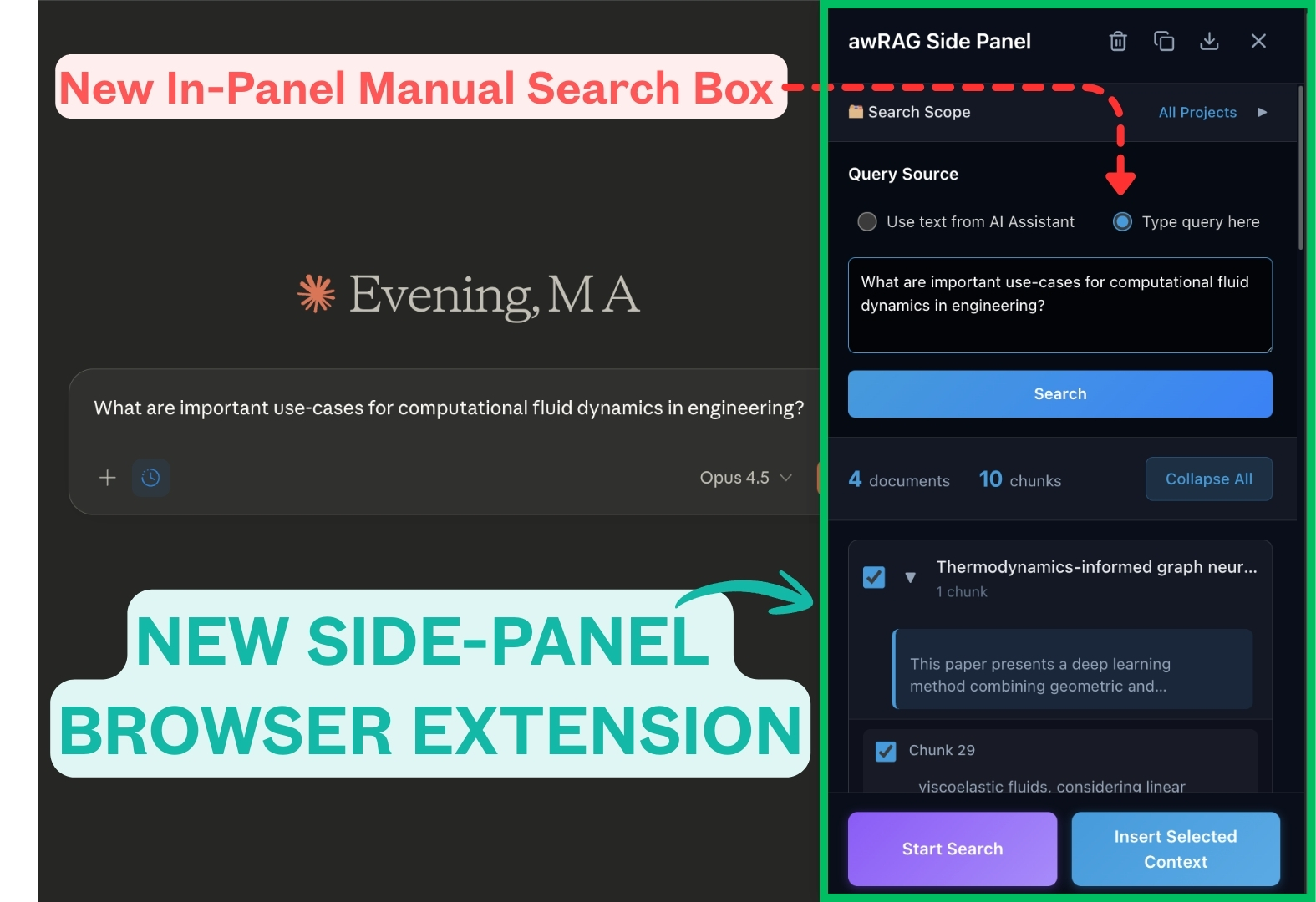
Ask a Question in the Side Panel
Click the floating awRAG button or use Ctrl+Shift+L to open the side panel. Type your question and get a richly formatted answer from your documents.
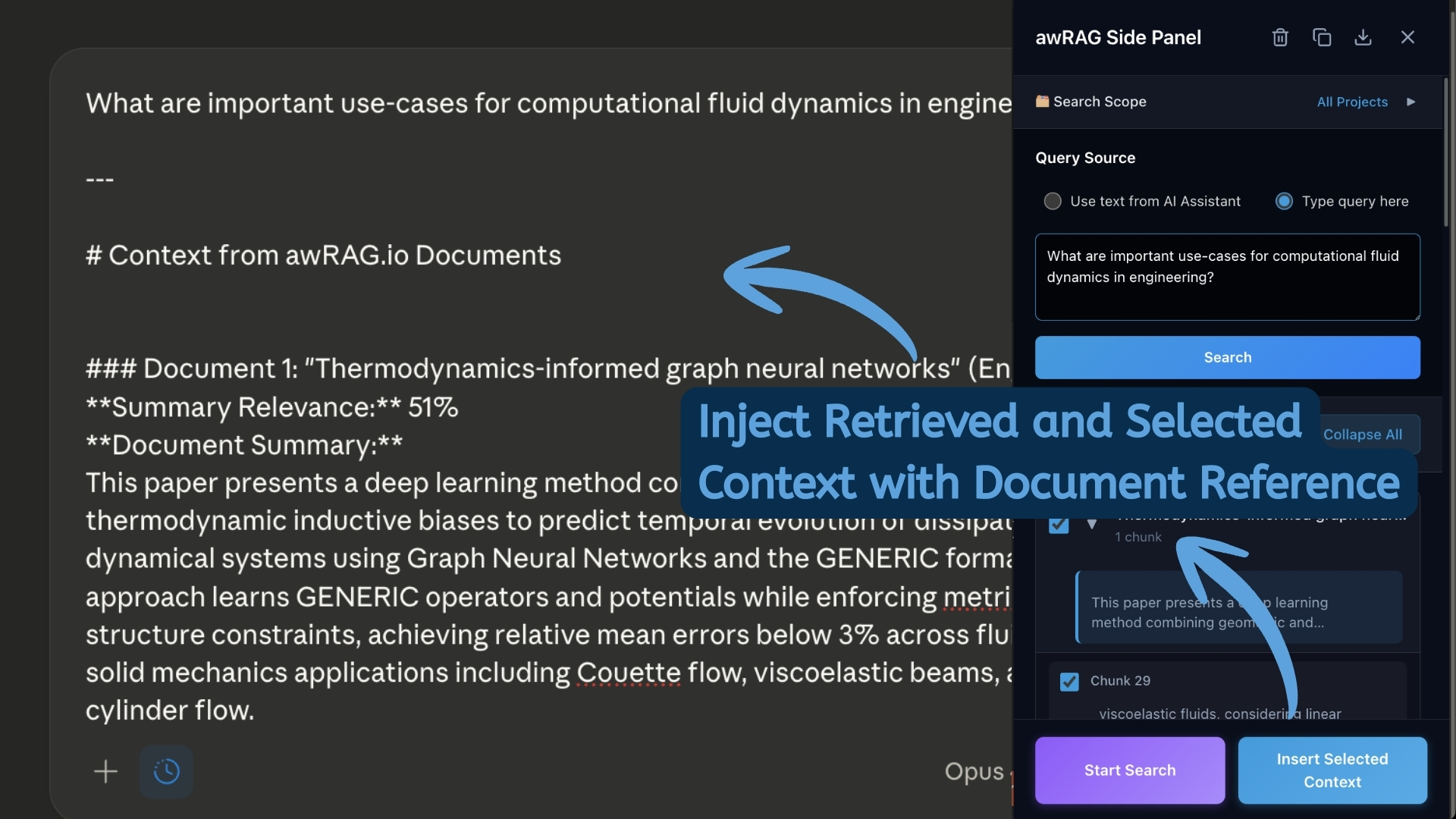
Copy Into Any Tool
Copy your answer as formatted text for Gmail, Docs, and Word, or as raw markdown for developers. Paste directly into whatever you're working on.
Key Features
Works Everywhere
Gmail, Slack, Google Docs, LinkedIn, Jira, Notion, and thousands of websites. Your knowledge follows you everywhere.
Your Data Stays Yours
API key stored locally in your browser. SOC 2 security standards. Swiss data storage infrastructure.
Smarter Retrieval
Intent-aware query expansion and two-stage hierarchical retrieval. More relevant, more complete, less noise.
Copy Any Format
Copy as formatted text for Google Docs and Word, or as raw markdown for developers and technical writing.